
Meta Quest Gift Cards
Get Meta Quest Gift Cards in Bangladesh – Instant VR Game Credits!
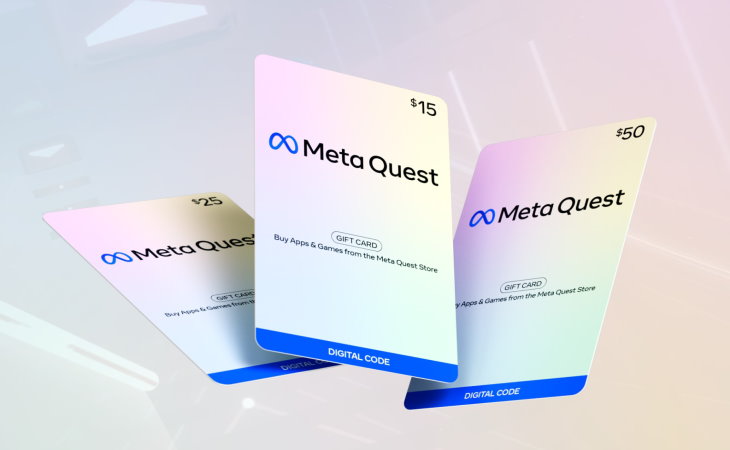
About Meta Quest Gift Card
A world of exciting VR experiences awaits you. Discover a wide selection of popular games, unique virtual adventures, creative tools, social experiences, and live events. With a Meta Quest Gift Card, VR fans can explore hundreds of apps and games available on the Meta Quest Store. Whether they want to enter fantasy worlds, stay active with fitness experiences, explore space, or try something completely new, there are VR experiences for every type of player. Giving a digital gift card is simple — just send it using the recipient’s email address or share the code after printing it.
Why Choose GamerShopBD for Meta Quest Gift Cards in Bangladesh?
- Instant Digital Delivery: Receive your Meta Quest Gift Card code directly on your screen and via email after payment verification, without waiting for physical delivery.
- Genuine Digital Codes: Get original, unused Meta Quest Gift Card codes to add funds to your Meta account and purchase VR games, apps, and immersive experiences.
- Local Payment Channels: Purchase Meta Quest Gift Cards conveniently in Bangladesh using familiar payment methods, including bKash, Nagad, and Rocket.
- Multiple Regional Options: Choose from different regional Meta Quest Gift Cards in USD, GBP, EUR, CAD, and other available currencies. Always match the card’s country and region with your Meta account before purchasing.
- 24/7 Dedicated Support: Get assistance with your order, digital code delivery, and redemption-related questions through live chat and WhatsApp.
Fast and Easy Purchase
Get your Meta Quest Gift Card quickly with a smooth and hassle-free buying experience.
Convenient Payment Options
Pay easily using popular payment methods available for customers in Bangladesh.
Instant and Secure Delivery
Receive your digital gift card code safely and instantly after purchase.
Great Deals and Offers
Enjoy exciting gaming deals, special promotions, and exclusive offers from GamerShopBD.
Buy Meta Quest Gift Card from GamerShopBD
Purchase your Meta Quest Gift Card from GamerShopBD and unlock amazing VR experiences. Create your account, complete your purchase, and receive your digital code quickly. Our support team is available to assist you whenever you need help.
Explore GamerShopBD for more gaming products, gift cards, and the latest gaming updates.
How to Redeem Meta Quest Gift Card?
Using the Meta Quest Mobile App:
- Download and install the Meta Quest app on your iPhone or Android device.
- Sign in to your Meta account or create a new account if you don’t have one.
- Open the menu and go to Wallet in the Meta Quest app.
- Tap the + button to access Add to Wallet.
- Select the Gift Card option.
- Enter your Meta Quest Gift Card code.
- Tap Redeem to complete the process.
Your Meta Quest Gift Card balance will be added to your Meta Quest Wallet. You can now use it to purchase apps, games, and experiences from the Meta Quest Store.
Using a Web Browser:
- Visit the Meta Store redemption page.
- Sign in to your Meta account or create a new account.
- Enter your Gift Card code.
- Click the arrow button to continue.
Your Meta Quest Gift Card will be added to your Meta Quest Wallet, allowing you to buy apps, games, and VR experiences from the Meta Quest Store.
For complete terms and conditions, please check the official Meta guidelines.
What payment methods are available to buy Meta Quest Gift Cards in Bangladesh?
You can buy Meta Quest Gift Cards from GamerShopBD using easy local payment options including bKash, Nagad, and Rocket. Once your payment is completed, you will receive your digital Meta Quest Gift Card code quickly.
Meta Quest Gift Cards are region-specific and can only be redeemed on a Meta account set to the same country or region where the gift card was purchased. Please make sure you select the correct region before purchasing.