TOP-UPS | ROBLOX
Buy genuine Roblox Gift Cards in Bangladesh on GamerShopBD with instant digital delivery via bKash, Nagad, and Rocket.
Complete Guide to Buying Roblox Gift Cards in Bangladesh
Roblox is a premier global platform where millions of players create games, customize avatars, and explore virtual worlds. While the game itself is free, unlocking exclusive avatar items, Game Passes, private server access, and monthly Roblox Premium memberships requires Robux—the platform’s virtual currency.
A Roblox Gift Card provides a secure way to load credit onto your account without using an international credit card or PayPal. Simply redeem your code to instantly receive account credit for purchasing Robux or activating Premium status.
Roblox Gift Card FAQ
What is a Roblox Gift Card and how does it work?
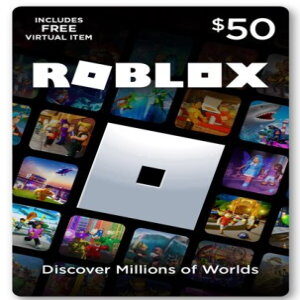
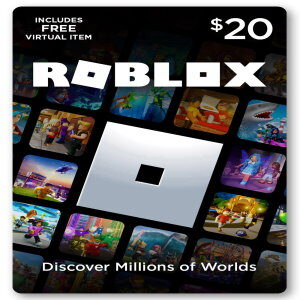
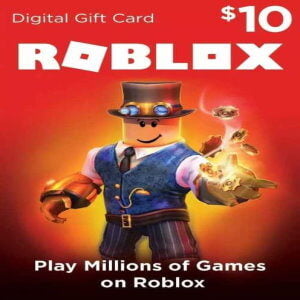
A Roblox Gift Card is a digital prepaid voucher containing a specific credit value (such as $10, $25, or $50 USD). When redeemed, the balance is credited directly to your account credit balance. You can convert this credit into Robux or use it to pay for a Roblox Premium subscription.
Why choose GamerShopBD for your Roblox top-up?
- 100% Genuine Digital Codes: Sourced through verified distribution channels to ensure smooth, error-free redemption every time.
- Instant Digital Delivery: Orders are processed immediately following payment verification, delivering digital PINs straight to your email and user dashboard.
- Local Payment Integration: Pay conveniently in Bangladeshi Taka (BDT) using bKash, Nagad, Rocket, or local debit/credit cards.
- 24/7 Dedicated Support: Our team is available around the clock via WhatsApp and Live Chat to assist with orders or redemption questions.
Are foreign currency Roblox codes region-locked in Bangladesh?
No, Roblox Gift Cards can be redeemed worldwide. Roblox automatically converts foreign currency voucher values (such as USD, CAD, or AUD) into your account’s primary currency equivalent upon redemption based on standard conversion rates.
How do I redeem a Roblox digital code?
- Open your browser and visit roblox.com/redeem.
- Log in to the Roblox account you wish to top up.
- Enter the digital PIN code provided by GamerShopBD into the designated field.
- Click Redeem to add the credit balance to your account.
- Use your balance to select your desired Robux package or activate Roblox Premium.
How can I check my remaining Roblox credit balance?
- Log in to your account on the official Roblox website.
- Locate the balance icon in the upper-right corner of the top navigation menu.
- Click the icon to view a detailed breakdown of your current Robux total and active account credit.
How do I buy Roblox Gift Cards on GamerShopBD using bKash or Nagad?
Select your desired gift card denomination on this page, add it to your cart, and proceed to checkout. Choose bKash, Nagad, or Rocket at the payment gateway and complete the payment prompts. Once verified, your digital code will be issued instantly.
GamerShopBD is an independent digital goods retailer and is not directly affiliated with, sponsored by, or endorsed by Roblox Corporation. All brand names, logos, and trademarks belong to their respective owners.