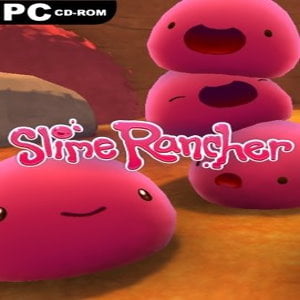
Slime Rancher (PC) Steam – Bangladesh
Buy Slime Rancher (for PC) Steam in Bangladesh from GamerShopBD. Get a 100% original Steam activation code with fast digital delivery and secure local payment options like bKash, Nagad, and Rocket. No international credit card is required.
About Slime Rancher
Slime Rancher is a fun, colorful, and relaxing simulation adventure game developed and published by Monomi Park. In Slime Rancher, players take on the role of Beatrix LeBeau, a rancher exploring the Far, Far Range to collect, raise, and care for adorable slimes.
The game combines exploration, resource management, and farming mechanics with a vibrant, charming world full of diverse slime species. From cute Pink Slimes to rare and exotic Gold Slimes, every slime offers unique challenges and rewards, making Slime Rancher an endlessly enjoyable experience.
Why Buy Slime Rancher PC Steam in Bangladesh?
For simulation, farming, and adventure fans in Bangladesh, Slime Rancher offers:
- A colorful, vibrant, and relaxing game world
- Collecting and caring for a wide variety of slimes
- Resource management, crafting, and upgrades
- Exploration of unique and whimsical environments
- Optimized PC performance via Steam
Buying from GamerShopBD ensures:
- 100% genuine Steam key
- Instant or fast digital delivery
- Secure local payment via bKash, Nagad, Rocket
- No foreign credit card required
- Trusted Bangladeshi seller support
Key Features
1. Collect and Raise Slimes
Discover, collect, and care for a variety of slimes, each with unique behaviors and traits.
2. Explore the Far, Far Range
Traverse colorful environments, hidden caves, and special locations to find rare slimes and resources.
3. Farm and Manage Resources
Grow crops, feed slimes, and upgrade your ranch for maximum efficiency and profit.
4. Crafting and Upgrades
Unlock gadgets and upgrades to enhance your ranching and slime-handling abilities.
5. Charming and Relaxing Gameplay
Enjoy a lighthearted and stress-free adventure suitable for all ages.
How to Activate on Steam (Bangladesh Users)
- Download and install Steam on your PC.
- Log into your Steam account.
- Click “Games” → “Activate a Product on Steam.”
- Enter the Steam activation code received from GamerShopBD.
- Download and start playing.
Activation is fully digital and instant.
System Requirements (PC)
Minimum:
- OS: Windows 7 / 8 / 10 (64-bit)
- Processor: Intel Core 2 Duo 2.2 GHz
- RAM: 4 GB
- Graphics: NVIDIA GeForce 9600 GT / AMD Radeon HD 2600
- Storage: 2 GB free space