
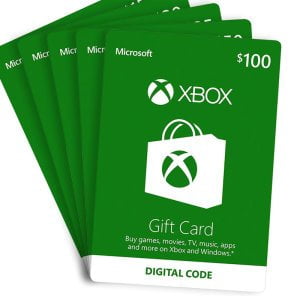
Buy Xbox Digital Gift Card in Bangladesh from GamerShopBD and top up your Xbox balance instantly with a genuine Microsoft code. This digital gift card lets you purchase Xbox games, Xbox Game Pass subscriptions, downloadable content (DLC), add-ons, and other items directly from the Microsoft Store without using a credit card.
All Xbox Digital Gift Cards are 100% original, region-specific, and delivered instantly via email after payment confirmation. GamerShopBD supports trusted local payment methods including bKash, Nagad, and Rocket, making it fast and secure for Bangladeshi gamers to buy Xbox credits online.
Xbox Digital Gift Cards can be redeemed on Xbox Series X|S, Xbox One, Windows PC, and the Microsoft Store. Simply choose the correct region that matches your Xbox account and redeem the code to start gaming immediately. Whether you are gifting a friend or recharging your own Xbox wallet, this digital card offers a safe, convenient, and reliable solution for gamers in Bangladesh.
Trusted by thousands of gamers, GamerShopBD ensures instant delivery, verified codes, and dedicated customer support for a smooth Xbox gift card buying experience.
From the manufacturer
How to Redeem Xbox Gift Card Codes on Xbox One
Xbox One gift cards can also be redeemed on any Xbox One console via the following method:
1. Turn on your Xbox One and log in.
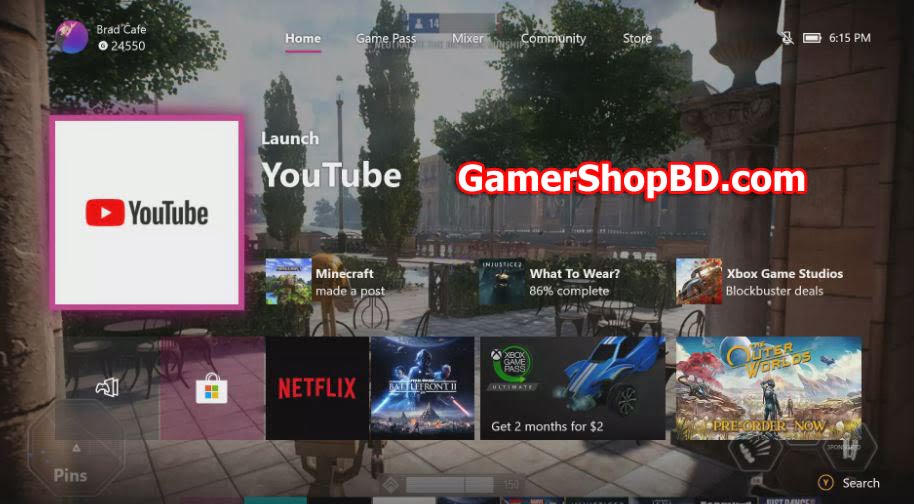
2. Press RB on your Xbox controller four times to navigate to the Store tab.
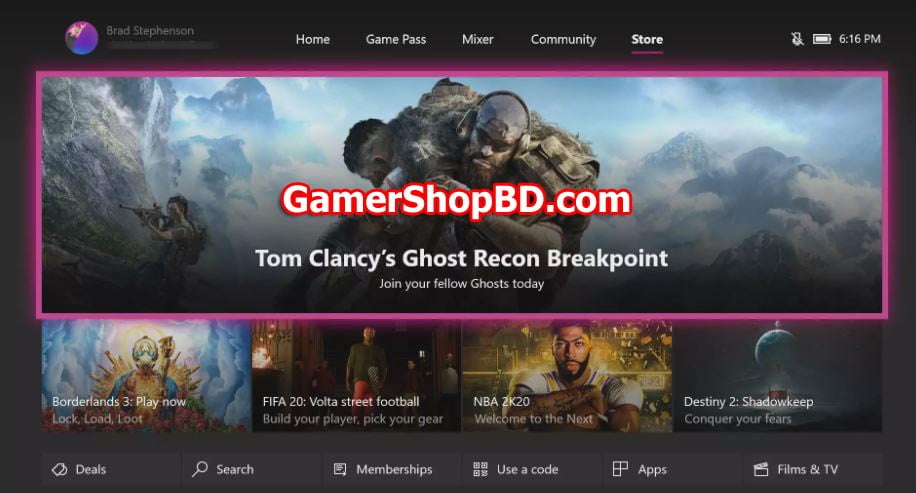
3. Highlight Use a code, then press the A button on the controller.
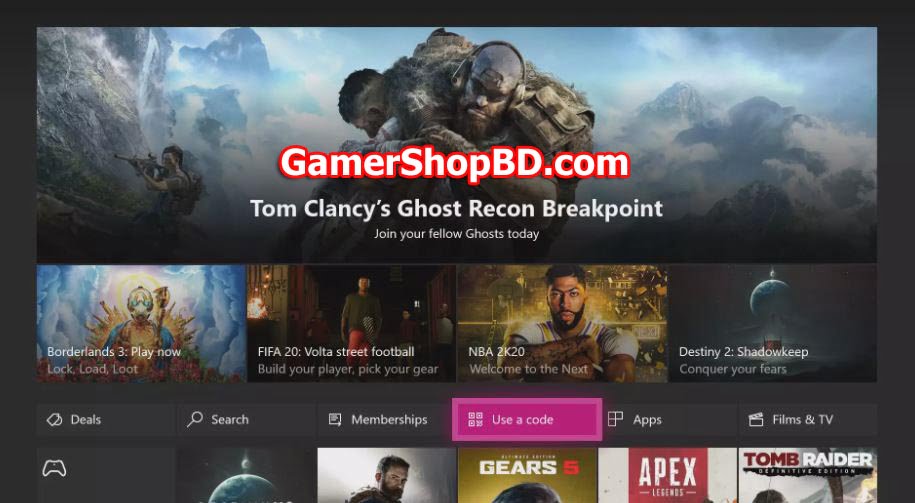
4. Press A to activate the on-screen keyboard and enter your Xbox gift code.
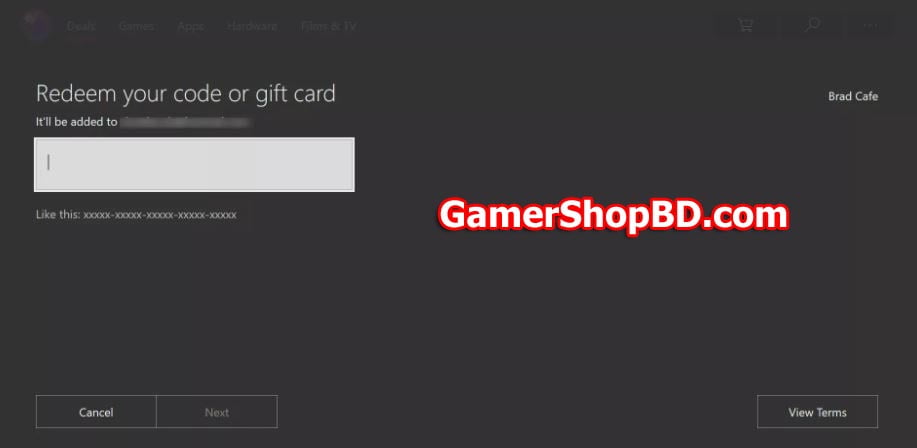
5. Press B to get rid of the keyboard.
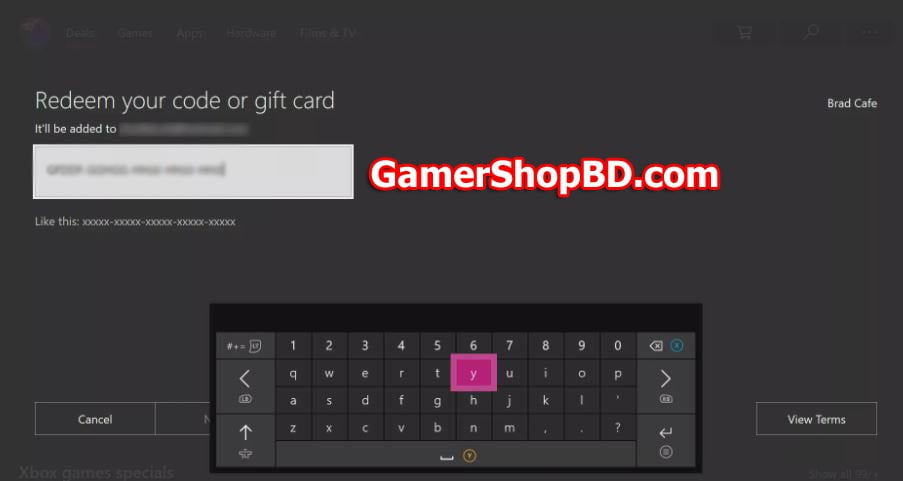
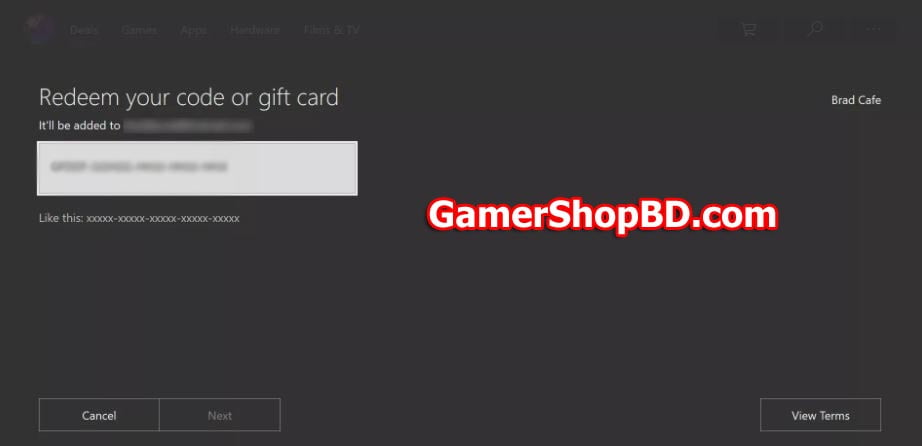
6. Use the arrow keys or joystick to highlight the Next button and press A to confirm the code.
How to Redeem Xbox Gift Card Codes With the Xbox Apps
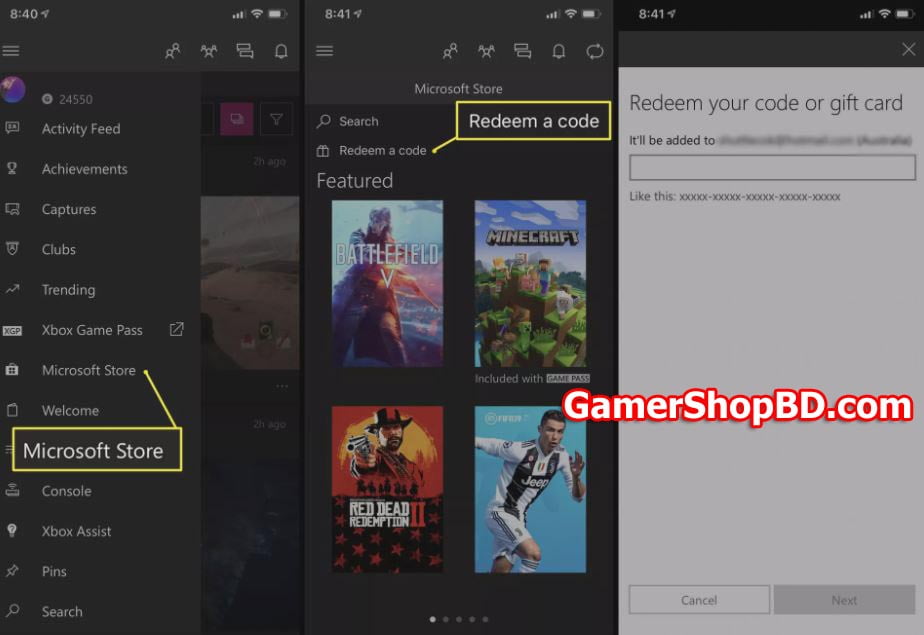
- Open the Xbox app on your device. Tap the Hamburger Menu in the top-left corner to open the menu.
- Tap Microsoft Store > Redeem a code <
- Enter your code in the field and tap Next.
Redeem Xbox Gift Card Codes on Windows 10
To redeem an Xbox or Microsoft code on a Windows 10 tablet or computer, make sure you’re logged in with the same Microsoft account as on your Xbox One console.
1. Open the Microsoft Store app on your Windows 10 computer or laptop.
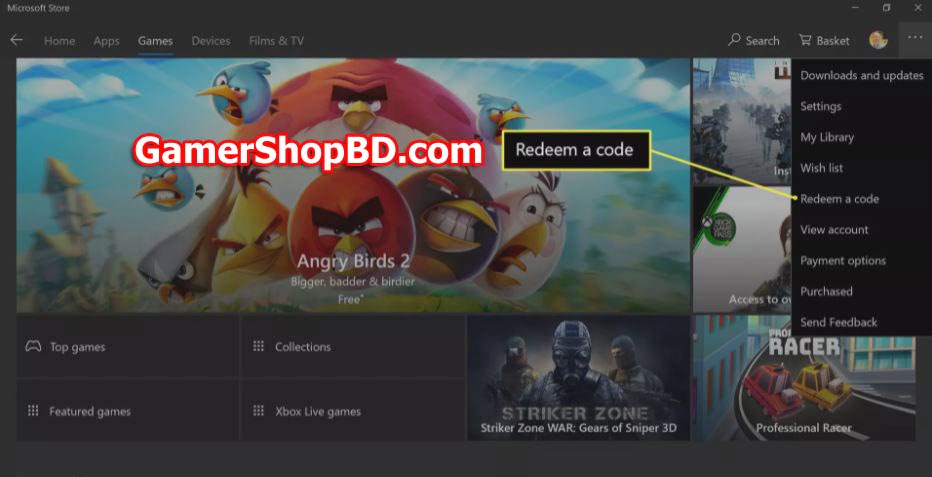
2. Select the ellipsis in the top right corner.
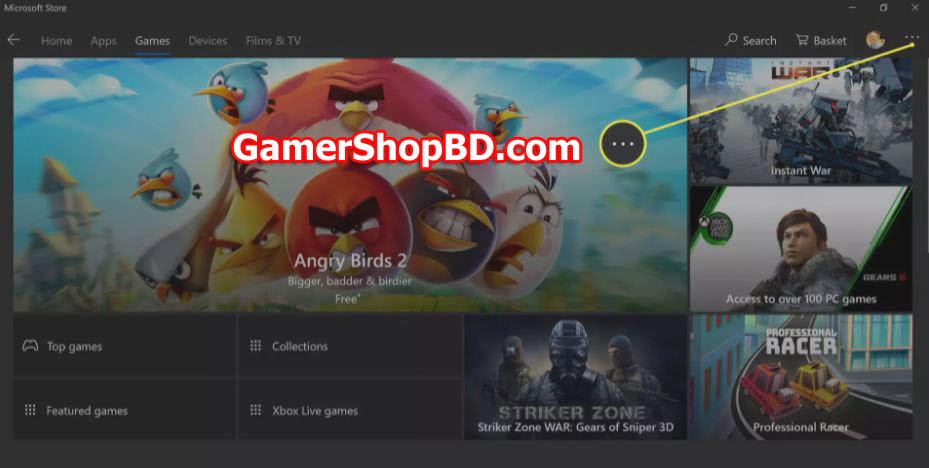
3. Open Select Redeem a code.
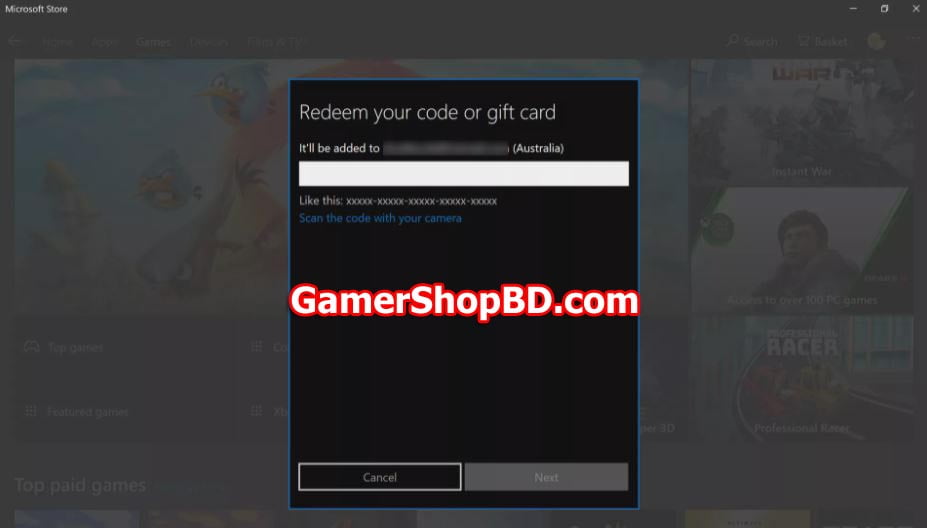
4. Enter your Microsoft or Xbox redeem code in the field. Select Next to add the credit to your account.
You can find additional support for your Xbox Live account here: https://support.xbox.com/en-US/contact-us
FAQ
An Xbox Digital Gift Card is a prepaid Microsoft code that adds balance to your Xbox or Microsoft account, allowing you to buy games, subscriptions, DLC, and other digital content.
You can buy directly from GamerShopBD using bKash, Nagad, or Rocket. After payment, the code is delivered instantly via email.
Yes. All Xbox Digital Gift Cards are delivered instantly after payment confirmation.
Yes. Xbox Digital Gift Cards work on Xbox Series X|S, Xbox One, Windows PC, and the Microsoft Store.
Yes. All codes sold by GamerShopBD are 100% genuine Microsoft-issued gift cards.
Yes. You must select a gift card that matches your Xbox or Microsoft account region to redeem successfully.
Absolutely. Xbox Digital Gift Cards are perfect gifts for gamers and can be shared instantly via email or message.


uddipon –
fast delivery
Jamil Us Fahad –
Excellent and timely service. Also very reliable.