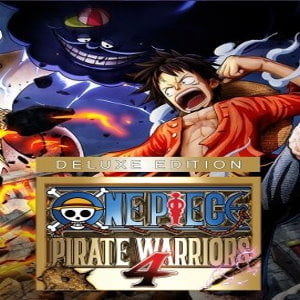
What is One Piece Pirate Warriors 4 Deluxe Edition?
One Piece: Pirate Warriors 4 is an action-packed anime game based on the legendary manga and anime series One Piece created by Eiichiro Oda. Developed by Omega Force and published by Bandai Namco Entertainment, this game combines fast-paced “Musou” style combat with the unforgettable characters and story arcs of the One Piece universe.
The Deluxe Edition includes the base game plus additional downloadable content (DLC), giving you access to extra playable characters and bonus content.
Why Buy One Piece Pirate Warriors 4 Deluxe Edition in Bangladesh?
If you are a PC gamer in Bangladesh and a fan of anime fighting games, this title offers:
- Massive battlefield action with hundreds of enemies
- Playable fan-favorite characters like Luffy, Zoro, Sanji, and more
- Story arcs from Whole Cake Island to Wano Country
- Improved aerial combat system
- Stunning anime-style visuals optimized for PC
With GamerShopBD, you get:
- 100% Genuine Steam Code
- Instant or Fast Delivery in Bangladesh
- Secure Payment via bKash, Nagad, Rocket
- No foreign card required
- Trusted local seller support
Deluxe Edition – What’s Included?
When you purchase the Deluxe Edition, you receive:
- Full Base Game (PC – Steam)
- Character Pass (multiple DLC characters)
- Additional bonus content (depending on official release)
This edition is perfect for players who want the complete experience from day one.
Gameplay Features
1. Huge Battlefields
Fight against thousands of enemies at once in epic pirate battles across iconic One Piece locations.
2. Dynamic Combat System
The game introduces aerial combos and destructible environments, making combat more exciting and strategic.
3. Authentic Anime Experience
Relive emotional and action-packed arcs from the One Piece storyline with cinematic cutscenes and character interactions.
4. PC Optimized Performance
Enjoy smooth gameplay, high resolution graphics, and customizable settings on PC via Steam.
How to Activate on Steam (Bangladesh Users)
- Download and install Steam on your PC.
- Log in to your Steam account.
- Click “Games” → “Activate a Product on Steam.”
- Enter the activation code received from GamerShopBD.
- Download and start playing.