Minecraft Minecoins
Buy Minecoins Online – Get your code instantly by email.
Buy Minecraft Minecoins easily without a credit card
Looking for a fast way to get Minecoins? A Minecraft Minecoins Gift Card is one of the simplest and safest ways to top up any Minecraft account. Order yours today and receive your code within seconds via email, ready to redeem. The best part? You don’t need a credit card. Choose from secure payment options like bKash, Rocket, Nagad, and more to receive your code quickly. Grab your Minecraft Minecoins Gift Card now and add in-game currency to your account without even leaving home!
What is a Minecoins Card?
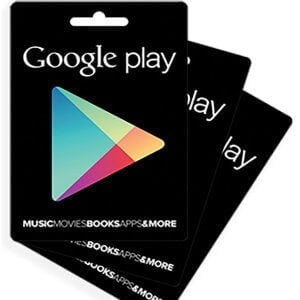
A Minecoins Gift Card is a simple and secure way to add Minecoins to any Minecraft account. This in-game currency unlocks new ways to enjoy this incredibly popular game. Purchase player-created content from the Minecraft Marketplace, including skins, texture packs, maps, worlds, realms, and more. With a prepaid balance from your gift card code, there’s no need to link a bank account. It’s a great option for younger players or anyone who wants better control over their spending.
How to gift Minecoins to someone else
There’s no direct way to send Minecoins to another player inside the game – but with a digital Minecoins Gift Card from GamerShopBD, gifting is fast and simple. Just purchase your code and receive it instantly by email. You can even create a printable gift card in minutes by choosing one of our templates. Download it as a PDF to print or forward it by email to surprise any Minecraft fan. It’s a quick, secure, and hassle-free way to make someone’s day!
Minecoins Gift Card FAQs
When does a Minecoins Gift Card code expire?
Never! Your code has no expiration date, so you can redeem it whenever you like.
Is a Minecoins Gift Card region-locked?
No. Your code is globally redeemable and can be added to any valid Microsoft account.
How do I redeem my Minecoins Code?
Simply visit the official Minecoins redeem page and sign in to your account. At the top of the screen, you’ll find a box where you can enter your code. Type in the gift card code and click the green “Submit” button. The Minecoins will be added to your account instantly and will be ready to use in the Minecraft Marketplace.
How do I check my Minecoins balance?
After redeeming your code, you can check your available Minecoins balance anytime by logging into your Minecraft account online. Just go to the “Payment & Billing” section to view your balance.
What are Minecoins used for?
Minecoins can be used to purchase in-game content such as skins, texture packs, mini-games, realms, and adventure maps within Minecraft.
One major benefit of using in-game currency instead of real money is that item prices remain consistent for players worldwide. It’s also a great option for younger players, as they can use a prepaid code instead of a credit or debit card. Have more questions? Visit the official Minecoins FAQ page to learn more.
What is the Minecraft Marketplace?
The Minecraft Marketplace is the place where you can spend your Minecoins on exciting in-game content. It offers a wide range of creative add-ons and experiences. The Marketplace is available to players with internet access and in-app purchase support, including Android and iOS devices, Windows 10, Xbox, and Nintendo Switch.
Can I use my Minecoins on every device I use to play Minecraft?
Yes! You can access your balance and purchased items across multiple devices. As long as you sign in with the same Xbox or Microsoft account, everything you buy will remain permanently available on all your devices. However, features may vary depending on the game version. For example, the Marketplace is not available in the Java Edition, but Minecoins can still be used to purchase a Realms subscription. For more details, please visit the Marketplace FAQ page.
How do I contact Minecraft Customer Service?
If you need assistance, you can reach Minecraft Customer Support through the Minecraft Help Center by submitting a support request.